🖼️ Galerie média : deux fenêtres modales, navigation fluide
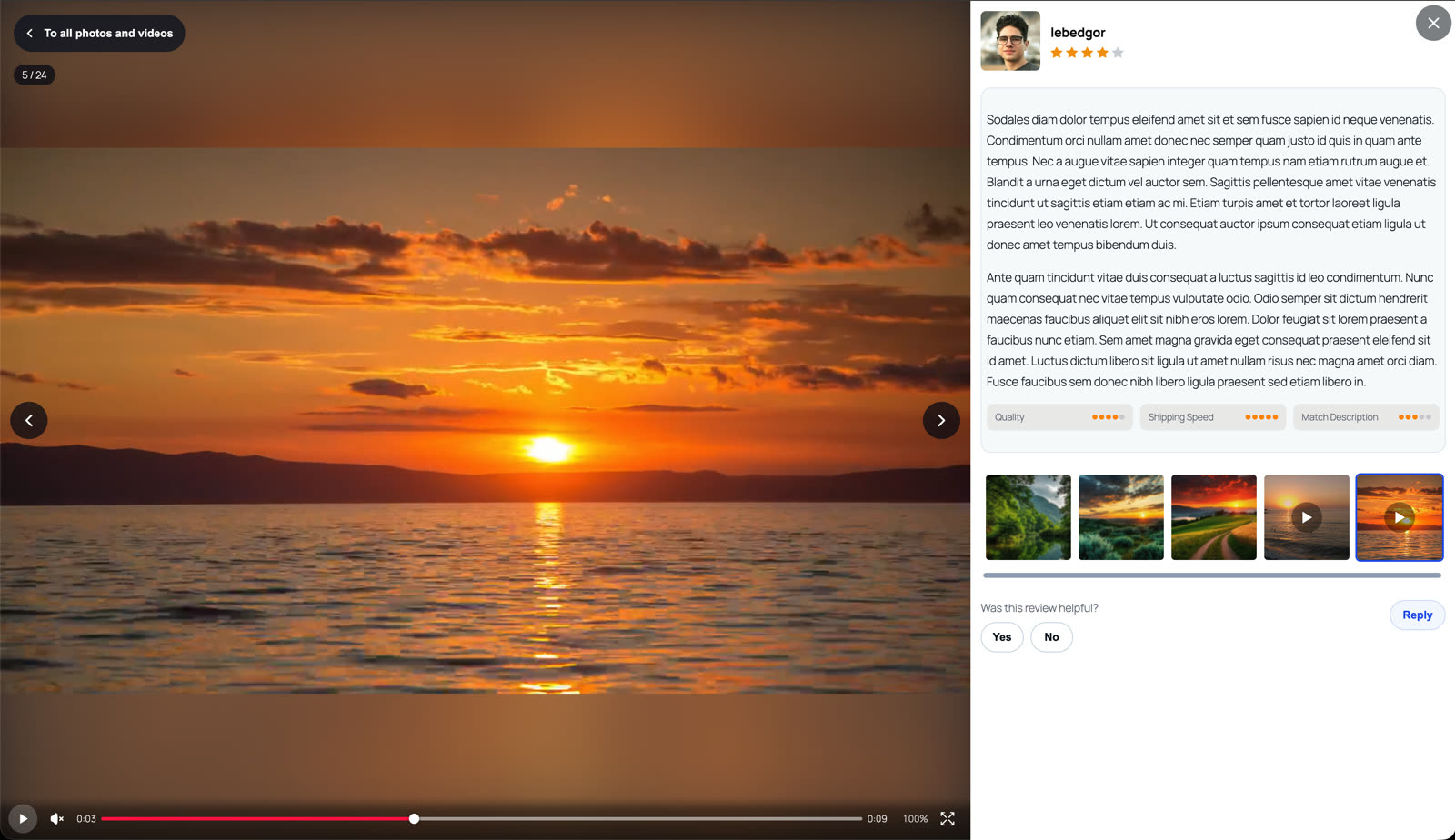
Le plugin inclut une galerie média complète qui s'ouvre dans une fenêtre modale :
- Fenêtre des miniatures — une grille de toutes les photos et vidéos des avis (contextuelle : pour un produit ou pour toute la page d'avis).
- Visionneuse plein écran — navigation entre les médias, informations sur l'avis et un lecteur vidéo personnalisé dans la modale, avec ses propres contrôles, distincts du lecteur natif plein écran.

🧮 Critères d'évaluation personnalisés : un détail, pas un seul chiffre
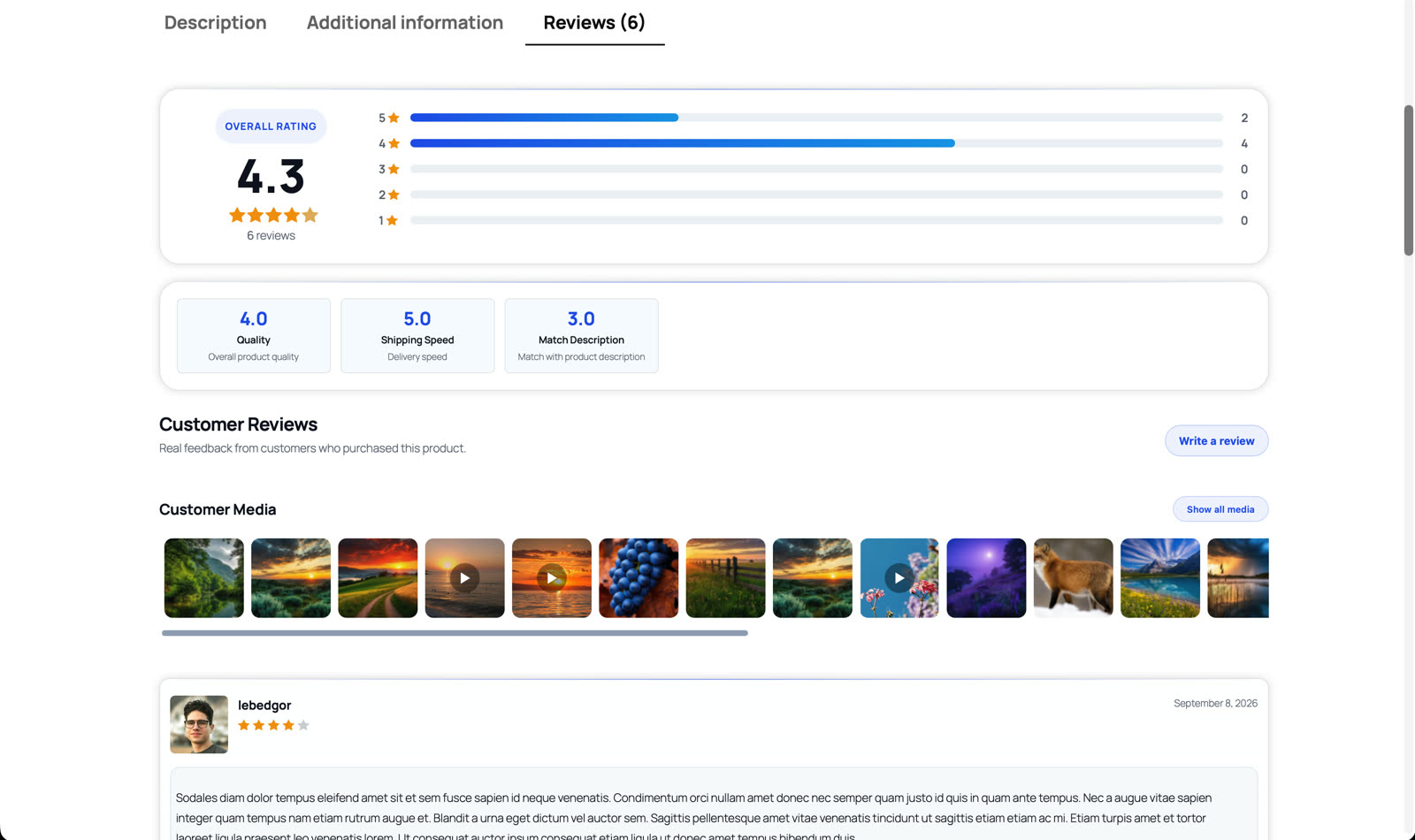
En plus de la note globale en étoiles, PVR Pro ajoute aux avis WooCommerce des critères d'évaluation personnalisables — Qualité, Rapport qualité-prix, Rapidité de livraison, Durabilité ou tout ce que vous définissez :
- Définissez les critères globalement ou par produit, avec une barre de note et une moyenne par critère.
- Titres multilingues — les noms des critères sont stockés par langue (WPML / Polylang / préfixes de locale), en accord avec votre configuration WordPress.
- Liez les critères aux catégories de produits avec un ordre personnalisé : une boutique d'électronique demande l'autonomie, une boutique de vêtements demande la coupe.
- Le bloc récapitulatif s'affiche au-dessus de la liste des avis, pour que l'acheteur voie les points forts et faibles d'un coup d'œil.
💡 Pourquoi c'est important
Un simple « 4,5 étoiles » cache l'histoire. Le détail par critère — par avis et par produit — montre à l'acheteur exactement où le produit est fort. Et un contenu plus structuré est aussi bon pour les moteurs de recherche.
🖥️ Démo en direct — regardez sur une vraie boutique
Explorez la galerie média, le détail par critères et le bandeau de médias sur la page produit de démonstration : Hoodie with Logo.
La galerie média et les critères d'évaluation personnalisés font partie de PVR Media Reviews Pro — licence unique de $59 avec mises à jour à vie.