Video is the most convincing format a customer review can take. A shopper who watches another buyer unbox the product, show its real size, or demonstrate how it works converts far more often than one who reads a paragraph of text. Stores that add video to their product pages typically see a double-digit lift in conversions — video reviews answer questions that photos and text simply can't.
So why do most WooCommerce stores still have text-only reviews? Because video is technically hard. A 30-second clip from a modern phone weighs 100–500 MB. Raw uploads of that size fail on typical shared hosting, time out, fill disk quotas, and — if you try to fix it server-side with FFmpeg — melt your CPU during business hours.
This guide explains the two approaches that fail, and the one that works: in-browser video compression, the approach used by PVR Media Reviews for WooCommerce — a free photo & video reviews plugin for WooCommerce.
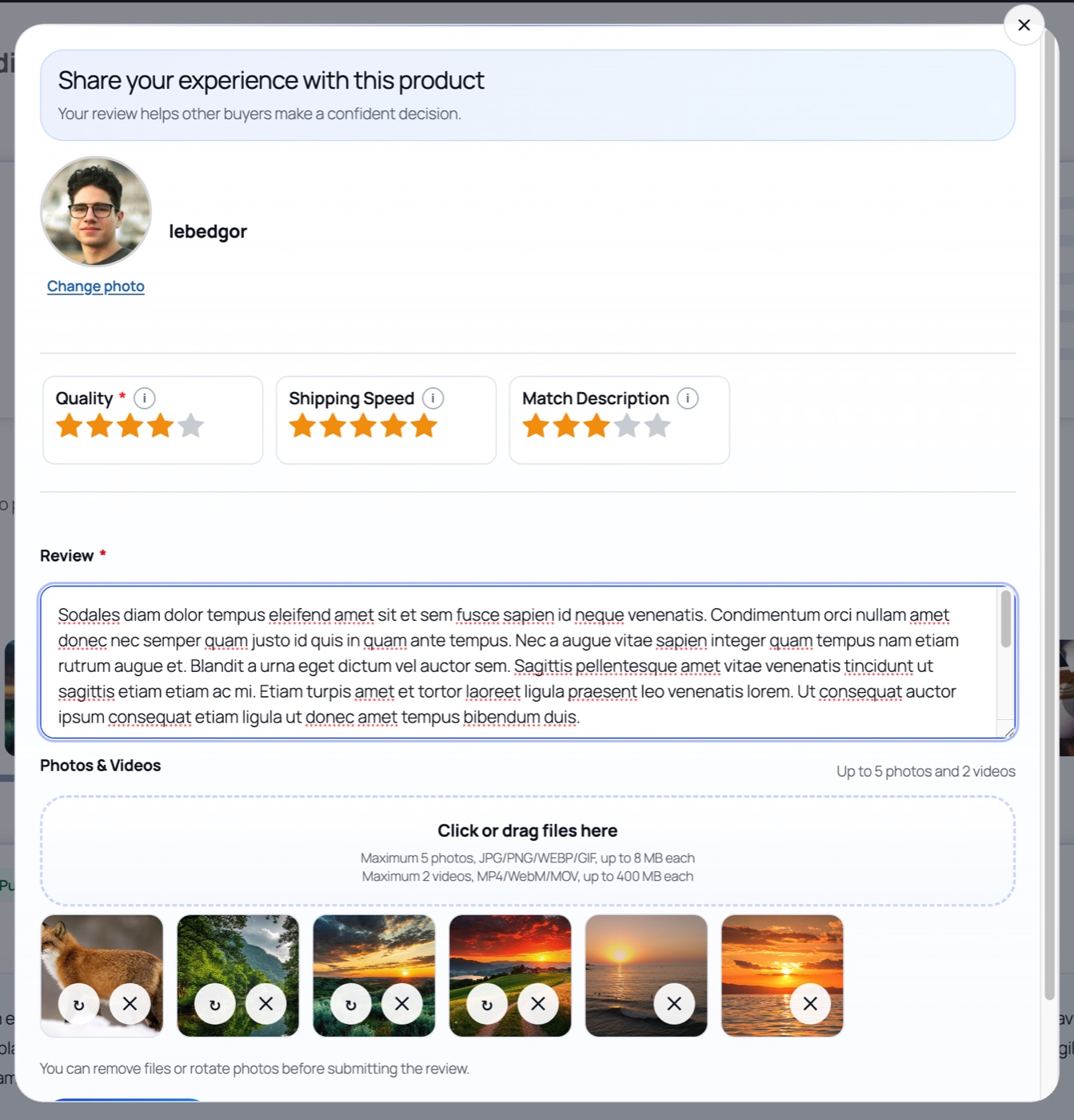
🚫 Why the two "traditional" approaches fail
Approach 1: accept raw uploads
The naive solution — letting customers upload their original video files — collides with reality immediately:
- PHP's default
upload_max_filesize(usually 2–8 MB) rejects phone videos outright; raising it to 500 MB viaphp.iniis often impossible on shared hosting. - Mobile customers abandon slow uploads of a 300 MB file on cellular data.
- Every stored review adds hundreds of megabytes to your disk usage and backup archives.
Approach 2: server-side FFmpeg encoding
Some plugins accept the raw file and try to compress it on the server. Video encoding is one of the most CPU-intensive workloads there is: a single 4K transcode can saturate all cores for minutes. On a store where the same server is also processing checkouts, that means laggy pages and dropped orders exactly when it hurts most. It also requires FFmpeg on the host — which many managed hosts simply don't provide.
⚠️ When server-side transcoding makes sense
For a social network with a dedicated transcoding cluster — sure. For a WooCommerce store, where the same server must also serve product pages and process checkouts, it's a liability.
💡 The solution: compress in the customer's browser
Every modern browser ships with hardware-accelerated media APIs: Canvas for frame access and MediaRecorder for re-encoding. PVR Media Reviews uses them to do the heavy lifting on the customer's device — before a single byte of video is sent to your server.
👣 What actually happens, step by step
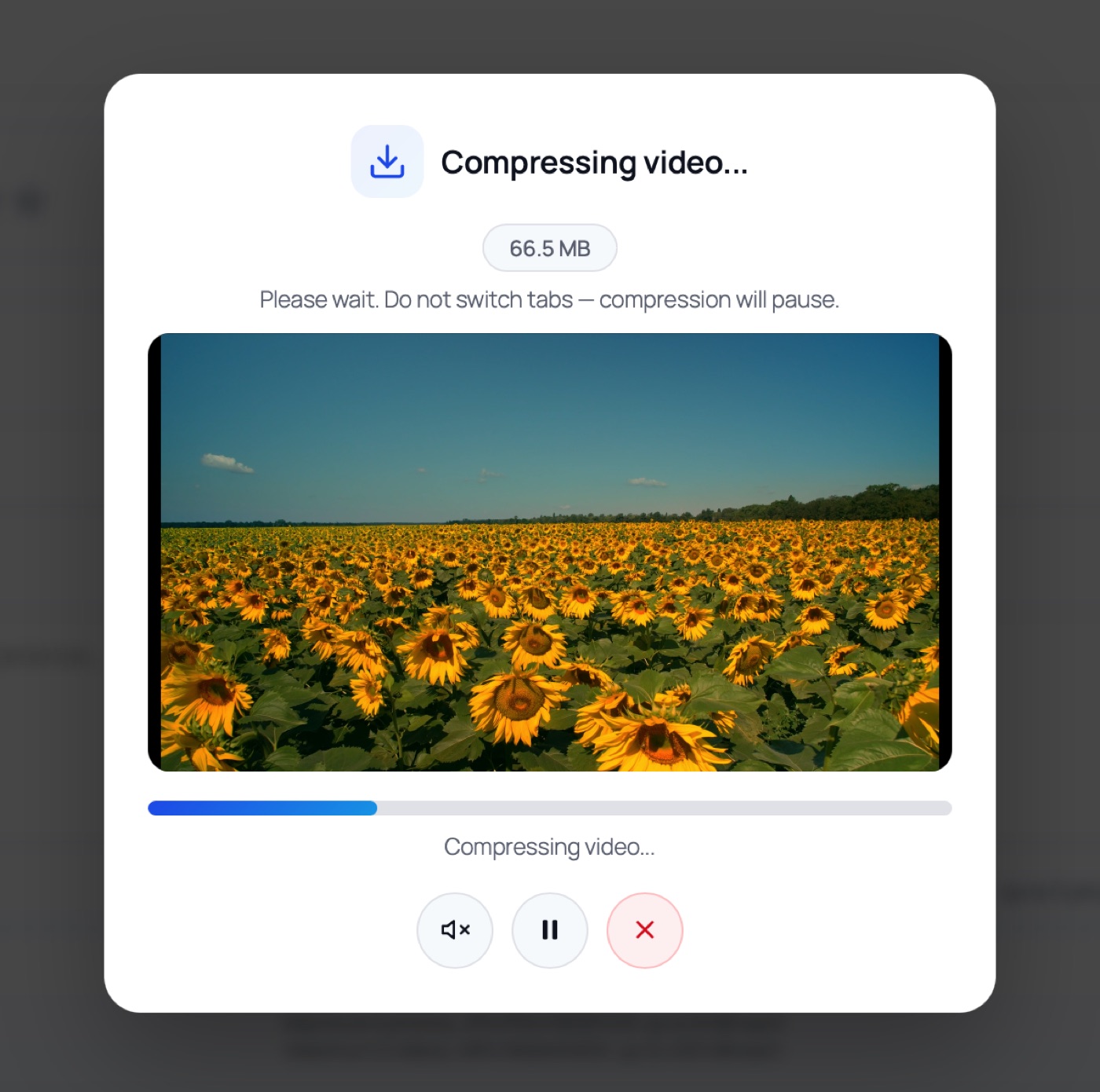
Why the video stays visible during compression
One detail that looks cosmetic but is actually essential: the customer's video keeps playing in a small modal while it is being compressed. Browser engines optimize aggressively — a video element hidden in a background tab gets its rendering throttled or paused, which stalls the frame-capture loop and produces black or frozen output. Keeping the video on screen keeps the pipeline alive. PVR additionally auto-pauses compression when the customer switches tabs and resumes it when they return, so nothing is silently corrupted.
This is also why the modal includes pause, mute, and cancel controls: the customer stays in control of a process that may take a minute on a long clip — instead of staring at a frozen form wondering whether anything is happening.
📤 The upload phase is honest, not fake
After the review text is saved, the form switches into a dedicated upload screen. The progress percentage is computed from the actual prepared payload — compressed photos and videos — not from the original camera file sizes, so what the customer sees matches reality. Each queued file shows its own progress bar, the whole batch can be cancelled with one click, and a failed file doesn't abort the rest of the batch.
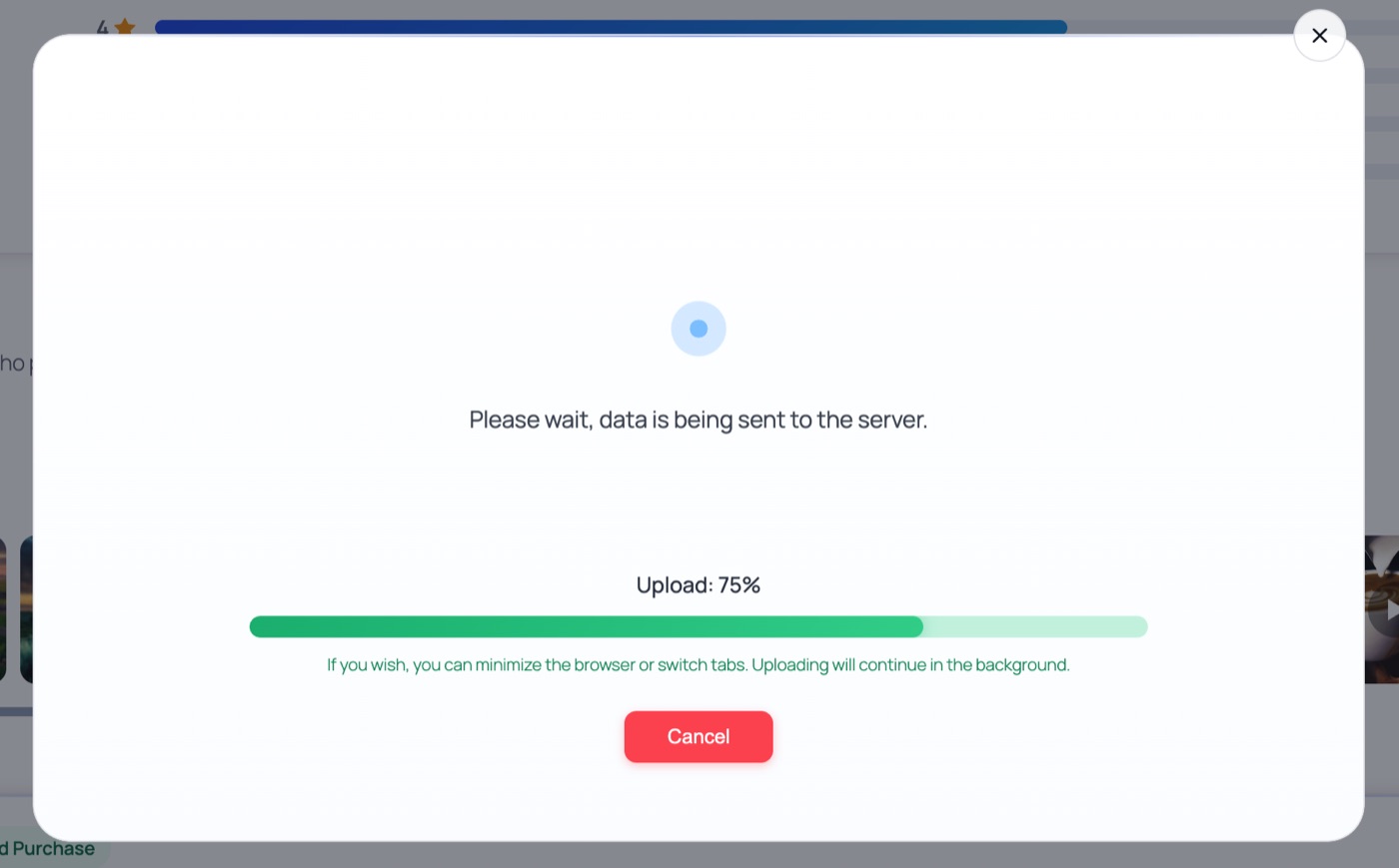
When everything finishes, the customer sees a thank-you screen with an animated checkmark — a small thing, but it closes the loop and dramatically reduces "did my review go through?" support tickets.
⚡ What this means for your store
🖼️ And the photos? Also optimized
The same client-first philosophy applies to photos: they are resized to your target resolution, re-compressed at your chosen quality, auto-rotated by EXIF data, and can be watermarked — all before upload. On the server, each photo is additionally stored as three WebP variants (grid thumbnail, modal preview, lightbox), so the product page stays fast no matter how many media reviews you accumulate.
🖥️ Live demo — see it on a real store
The whole flow works on our demo store: a product page with photo & video reviews — open "Write a review" and try the form yourself.
PVR Media Reviews is a free photo & video reviews plugin for WooCommerce: in-browser video compression, honest upload progress, media galleries, helpful voting, and rich snippets — with your data on your own hosting. No subscription, no media quotas.