Yellow star ratings in Google search results are the cheapest attention you can buy — except they're free. Listings with stars and review counts consistently earn a higher click-through rate than plain blue links, because a rating answers the searcher's first question ("is this product any good?") before they even click.
For a WooCommerce store, getting those stars has two parts: collecting real reviews, and exposing them as structured data Google can parse. This guide covers both — and shows how PVR Media Reviews, a free photo & video reviews plugin for WooCommerce, automates the second part.
✍️ Step 1: have something worth rating
Structured data mirrors reality. Google suspends rich results for pages whose markup doesn't match visible content, so the sustainable path starts with a genuine review flow — one your customers actually complete.
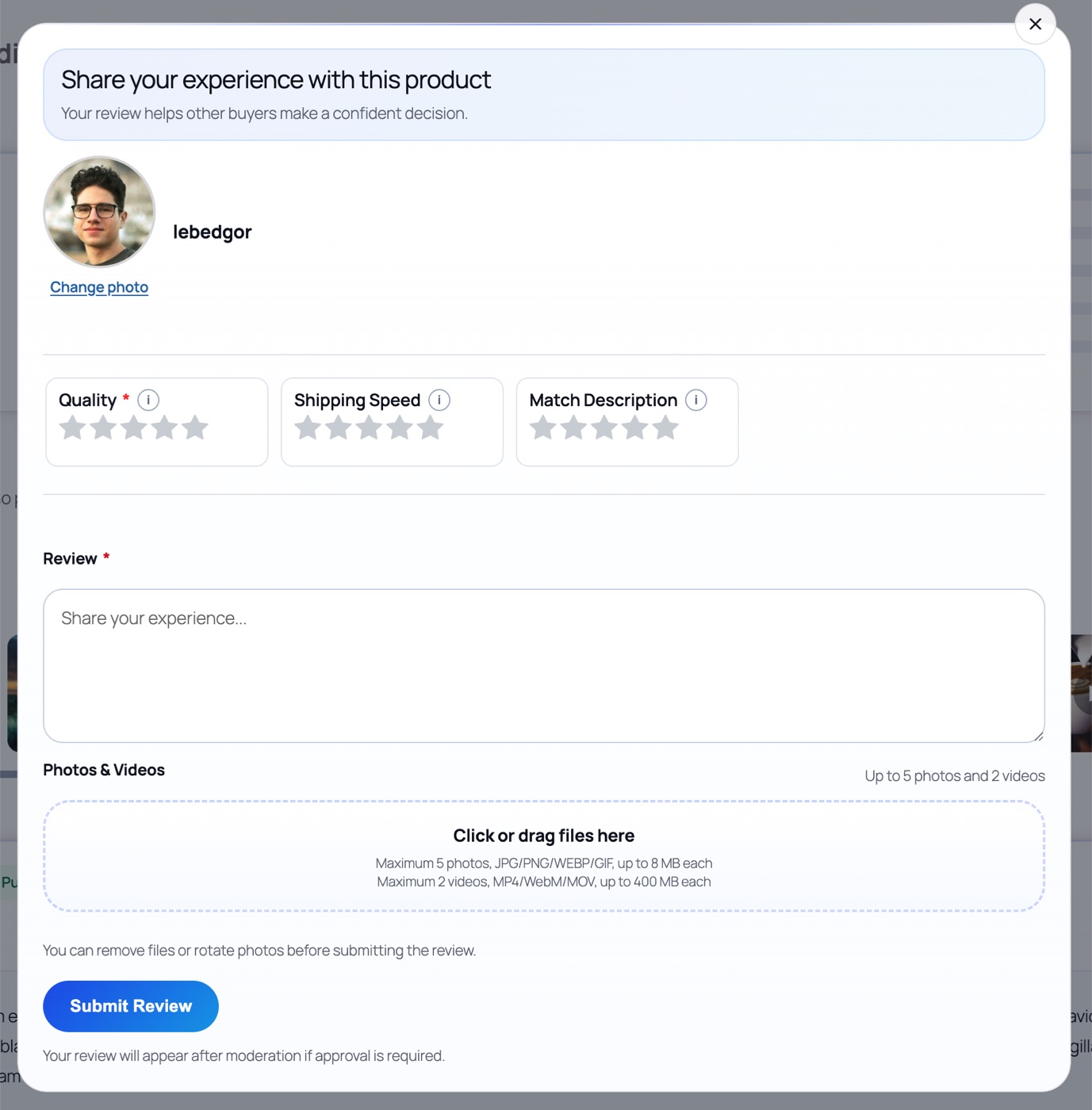
A review form that asks for a rating, a sentence of context, and optionally a photo is enough. Media is the strongest trust multiplier you can add: photo & video reviews are the content shoppers screenshot and share, and they signal authenticity to both buyers and search engines.
👀 Step 2: show the rating story on the page
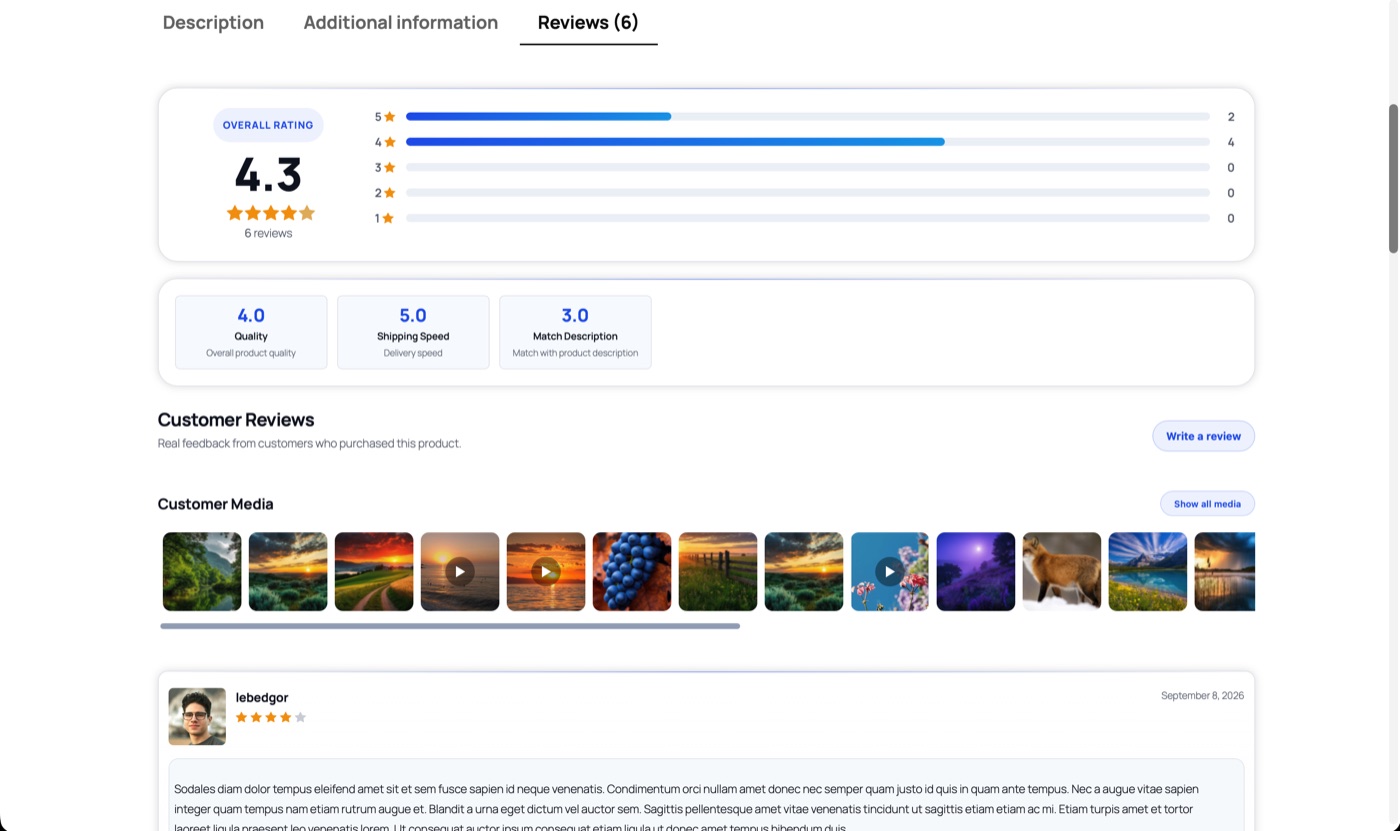
Google's quality raters — and your visitors — expect the visible page to match the structured data. A credible product reviews tab shows the average score, the count, the per-star breakdown, and the individual reviews behind them.

🤖 Step 3: the structured data Google reads
Google does not parse the stars your theme renders. It reads Schema.org JSON-LD in the page's HTML. For review stars on a product, two structures matter inside the Product schema:
aggregateRating— the average score and total number of ratings.review— individual reviews: author, date, body, and each rating value.
{
  "@context": "https://schema.org",
  "@type": "Product",
  "name": "Premium Leather Travel Bag",
  "aggregateRating": {
    "@type": "AggregateRating",
    "ratingValue": "4.8",
    "reviewCount": "42",
    "bestRating": "5",
    "worstRating": "1"
  },
  "review": [{
    "@type": "Review",
    "author": { "@type": "Person", "name": "Sarah Jenkins" },
    "datePublished": "2026-08-10",
    "reviewBody": "Incredible leather quality — and the photos
                   from other buyers matched exactly.",
    "reviewRating": {
      "@type": "Rating",
      "ratingValue": "5",
      "bestRating": "5",
      "worstRating": "1"
    }
  }]
}CSS stars are invisible to Google. Only machine-readable JSON-LD counts. If your theme renders stars but nothing outputs structured data, your products will never show stars in search.
⚙️ Step 4: automate it (and avoid the classic conflict)
Here is where WooCommerce sites usually get stuck: default WooCommerce emits its own product schema, and SEO plugins like Yoast or Rank Math emit theirs. A review plugin that adds a third, parallel schema block creates duplicates — and duplicates get flagged in Google Search Console instead of earning stars.
PVR Media Reviews solves this by integrating into whichever system is already producing your product schema:
woocommerce_structured_data_product — the JSON-LD WooCommerce itself outputs.wpseo_schema_product), so review data merges into one clean block instead of duplicating it.rank_math/schema/product the same way — one graph, no conflicts.The data behind the markup is live: aggregateRating is recalculated from approved reviews, and the last ten approved reviews are emitted as individual Review objects — which is exactly the "fresh content" signal Google's guidelines encourage. All of this is part of the free plugin; it is not gated behind the Pro license.
🔍 Step 5: verify with Google's own tools
- Publish at least one approved review with a rating on a test product (the plugin's auto-approve settings can speed this up).
- Open the Google Rich Results Test.
- Enter your product page URL and run the test.
- Confirm the
Productitem is detected withaggregateRatingandreviewlisted without errors. - Repeat for a page where Yoast or Rank Math is active — the point of the integration is that there should be no duplicate-schema warnings.
⏳ A note on timing
Valid markup makes a product eligible for review stars. Google decides when (and whether) to display them, and that typically follows once reviews accumulate naturally. One more reason to make leaving a review — ideally with a photo — as easy as possible.
🚀 Going further: review-driven landing pages
Product-page stars are the beginning. PVR Pro adds an all-reviews page ([pvr_all_reviews]) with filters by category and manufacturer, and dedicated SEO title/description templates for each filter combination — so queries like "running shoes reviews" or "{brand} customer reviews" land on real, indexable pages built from your review content. That's a Pro feature ($59 one-time), but the per-product schema itself is free.
🖥️ Live demo — see it on a real store
Star ratings, criteria, and the review flow are live on our demo product page: Hoodie with Logo.
Collect photo & video reviews with the free PVR Media Reviews plugin, and get Review + AggregateRating schema for WooCommerce automatically — native, Yoast-compatible, Rank Math-compatible. Star ratings in search follow.