Cloud review platforms like Judge.me and Yotpo solved a real problem — ten years ago, building a review system was hard, so renting one made sense. In 2026, on WordPress and WooCommerce, that logic has flipped. Your store already has a database, a media library, user accounts, and email infrastructure. Renting a third-party widget to do what your own site can do natively means paying monthly for something you could own.
This guide breaks down the real costs of cloud review platforms, what "self-hosted reviews" should mean in practice, and how PVR Media Reviews for WooCommerce — a free photo & video reviews plugin — implements it.
💸 The three hidden costs of cloud review platforms
💳 1. The subscription never ends
Cloud review platforms price per order volume. As your store grows, so does the bill — and the features that actually drive conversion (video reviews, custom branding, advanced integrations) are placed in the higher tiers. A store paying $50–$150/month spends $1,800–$5,400 over three years on a component that adds a review form to product pages.
🔒 2. You don't own your social proof
With a cloud platform, your reviews — text, customer photos, videos, ratings history — live on the provider's servers, rendered through their widgets and scripts. If you cancel, downgrade, or the provider changes terms, your review content stops displaying. Years of accumulated trust can vanish from your product pages with a single billing decision. Migrating that content back out is usually possible in theory and painful in practice.
🐌 3. Every product page pays a performance tax
Cloud review widgets inject external JavaScript bundles, iframes, and tracking pixels into every product page you have. That's third-party code you don't control, loading on your most important commercial pages — and it's a common cause of degraded Core Web Vitals scores.
What the cloud actually costs over 3 years
| Platform | Monthly | 3-year total |
|---|---|---|
| Yotpo (mid-tier) | $150/mo | $5,400+ |
| Stamped.io (growth) | $59/mo | $2,124+ |
| Judge.me (pro) | $15/mo | $540+ |
| PVR Media Reviews Free — photo & video reviews included | $0/mo | $0 |
| PVR Media Reviews Pro (all features) | $0/mo | $59 one-time |
🧭 What "self-hosted reviews" should actually mean
Moving off a cloud platform shouldn't mean downgrading to a bare-bones comment form. A serious self-hosted review system has to match the cloud experience where it matters — media, polish, anti-spam — while removing the parts that don't serve you. Here is the full checklist, and how PVR Media Reviews scores on each point.
| Requirement | PVR Media Reviews (self-hosted) | Cloud widget (Judge.me, Yotpo…) |
|---|---|---|
| Where reviews are stored | Your own database, as native WordPress reviews | Provider's cloud servers |
| Where media lives | Your own uploads directory, relative paths, included in your backups | Provider's CDN; rented |
| Photo & video uploads | Free, forever — no quotas | Often gated by subscription tier |
| Video processing | In-browser compression — 0% server load | Cloud infrastructure you pay for monthly |
| Page speed impact | Plugin assets only; WebP variants; no third-party scripts | External JS bundles and iframes on every product page |
| If you stop paying | Nothing changes — reviews keep working | Widgets stop rendering; media access may be lost |
| Schema markup | Built-in, compatible with Yoast & Rank Math | Injected by the provider's scripts |
| Emails & branding | Branded emails from your own store identity | Provider templates on their domain |
✨ Polish matters too: the details self-hosted used to lack
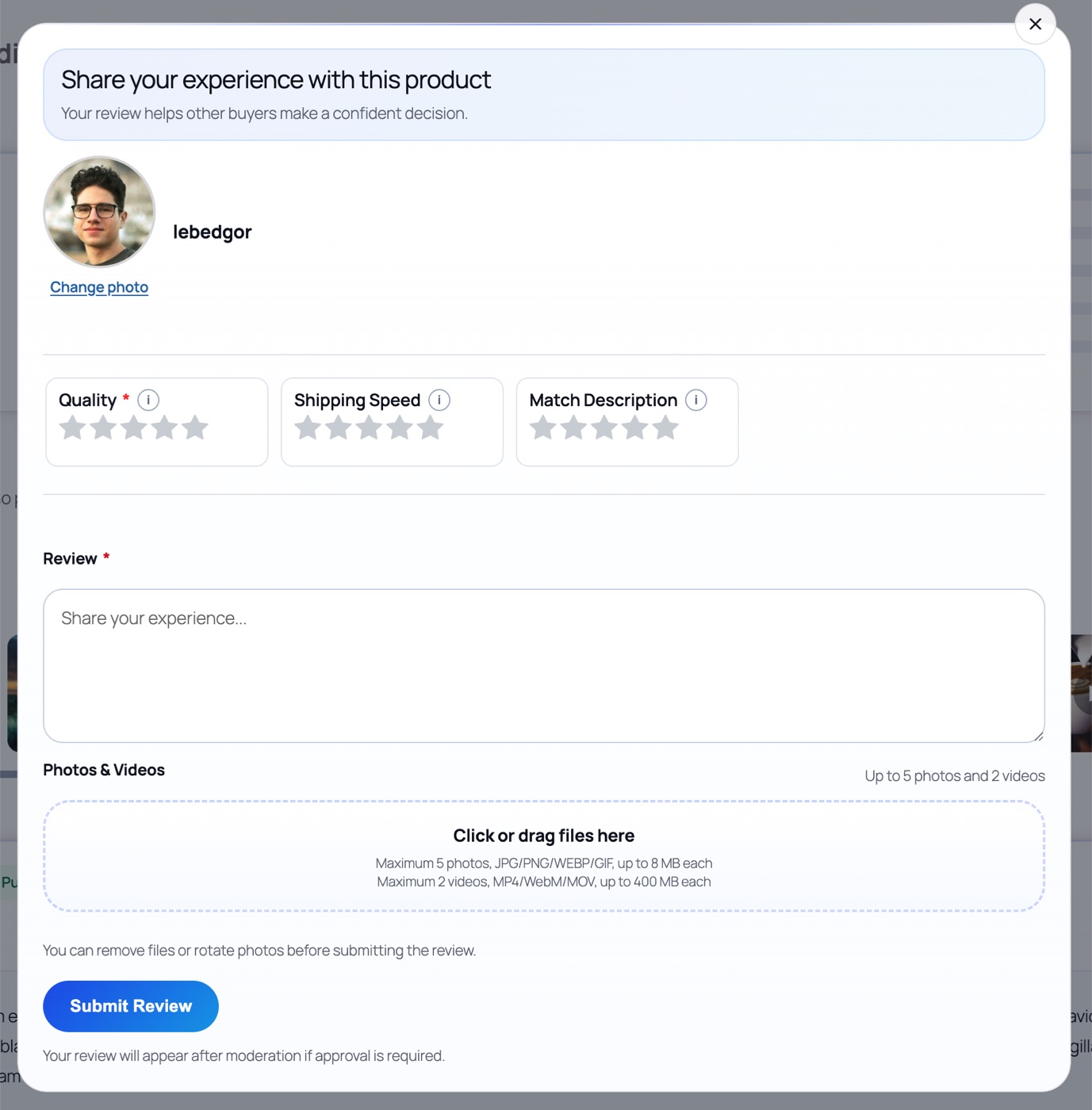
The historical argument for cloud platforms was user experience — hosted widgets looked nicer than clunky plugin forms. That gap has closed. A few examples from PVR Media Reviews:
Avatars with a built-in crop tool
When a customer picks a profile photo for their review, a compact crop modal opens where they select exactly the fragment they want — no image editor, no external service, no awkwardly stretched square. The cropped image is processed server-side to a clean 500 px avatar.

A real media viewing experience
Clicking any photo or video opens a full viewer: large media on one side, the complete review — author, text, helpful voting, replies — on the other. A separate gallery modal collects all media for the product. Videos play in a custom player with proper controls. Nothing redirects to an external page; nothing leaves your server.

Trust signals that come standard
- Verified Purchase badges — checked automatically against WooCommerce order history.
- Helpful voting — one vote per visitor, with live balance updates everywhere the review appears.
- Store replies — threaded answers with a "Support Team" badge, moderatable from the admin.
- Anti-spam — invisible honeypot, optional reCAPTCHA v3, per-IP daily limits, and buyer-only access modes, so opening reviews to everyone doesn't open the door to spam.

🔄 The migration question: what happens to existing reviews?
😌 Two reassuring facts about PVR Media Reviews
Your WooCommerce reviews are already compatible. The plugin stores reviews as native WordPress comments with a review type — your existing product ratings keep working, and the plugin displays them in its enhanced template. Media import is built in. From the admin editor you can attach photos and videos from the WordPress media library to any review — useful when consolidating media from a previous plugin or a manual import.
✅ A checklist for switching from a SaaS review platform
- Export what you can from the cloud provider (at minimum: review text, author, rating, date).
- Install PVR Media Reviews free — your native reviews appear immediately in the new interface.
- Re-import media where available via the admin media tools.
- Verify schema with Google's Rich Results Test — the plugin injects Review and AggregateRating JSON-LD into native WooCommerce structured data, Yoast, and Rank Math output.
- Cancel the subscription — and notice that nothing on your site changes.
🖥️ Live demo — see it on a real store
Self-hosted doesn't mean bare-bones. Check the review experience on our demo product page: Hoodie with Logo.
PVR Media Reviews gives you photo & video reviews for WooCommerce free forever — media on your hosting, in-browser compression, branded emails, voting, replies, and schema markup. Pro adds criteria ratings, email reminders, coupon rewards, widgets, analytics, and an SEO all-reviews page for $59 one-time.